About auManager

Overview
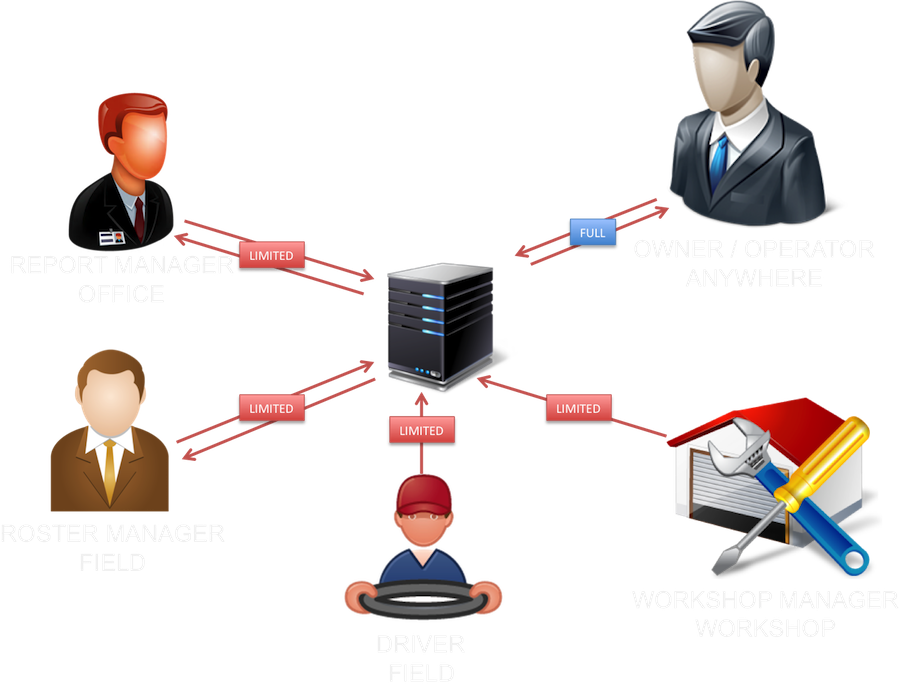
auManager provides every taxi operator an online system to manage their business from anywhere in the world. auManager covers every aspect of taxi business structure; reports, cars, drivers, bills, roster, GST, SMS etc. It is cloud based technology and provides full control of the business even from a mobile device. Most basic features are accessible from auManager Mobile App. A driver can use auManager app to send reports and other details. Operators can disable driver online features anytime.
Features
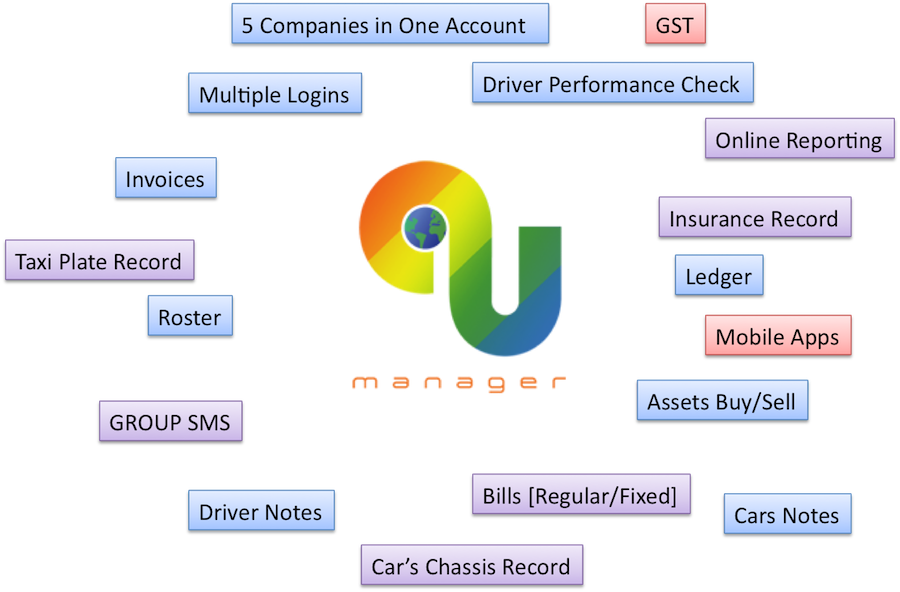
Reports Management: Receive, edit, access and check the reports in real time. View the reports and total as per requirements; by a driver or car or week or month etc.
Online Reporting: Drivers can send reports online from a mobile device or computer. Drivers can sign up directly or operator can create a login for them. Online reporting helps to make the process fast for operators and save time. Drivers can view up to 3 weeks reports unless settlement was done.
Cloud Based Technology: Easy to access system from anywhere in the world, anytime.
SSL Secured: SSL secured shell is provided to protect usernames and passwords.
Invoice: The invoice can be issued to a driver for the received reports.
SMS: Group Messaging system to send messages to all drivers at once or to a specific group, like pending reports.
Transaction Cross-Check (Available on demand): Automatically send transaction details on driver's email for verification. This feature helps to verify the entered report. This feature is available on demand.
GST: GST check is very easy. Select the period, quarter or year, to check GST payments.
Performance: Check weekly performance of full fleet. Provide information about driver's performance.
Bills: Add bills and upload the copy of the receipt.
Notes: Create notes for future reference. Notes can be created for cars and drivers.
Cars/Chassis/Insurance: : Managing cars, chassis and insurance information as required. Total 35 types of information can be stored.
Drivers: Quick access to driver's information. Drivers can update address and contact details online if authorized. List can be generated to check driver's license expiry. Colour codes identify the driver's license expiry dates. Drivers can update license copies online for operator's records.
Roster: Multiple options are available to manage a roster. A mobile version is also available. Features like view available cars and drivers on same screen help to cover more shifts. Permanent and casual driver shifts can be managed separately.
Ledger: Ledger provides information about the cash flow by each staff individually.
Multiple Logins: Each staff access the system through their associated login. Limited access can be imposed on specific login account.
Estimator (Available on demand): Provides estimated fare calculation based on the data provided by an operator through dispatch system (MTData). It tracks the driver who declares less than required. For this feature, operator required to share data from a dispatch company, which includes job kilometers, time pick up, time drop off, vacant kilometers etc. Please consult with cabReports for more information.
Search Booking: Search the bookings by booking number/driver/car.
Mobile app - Operators
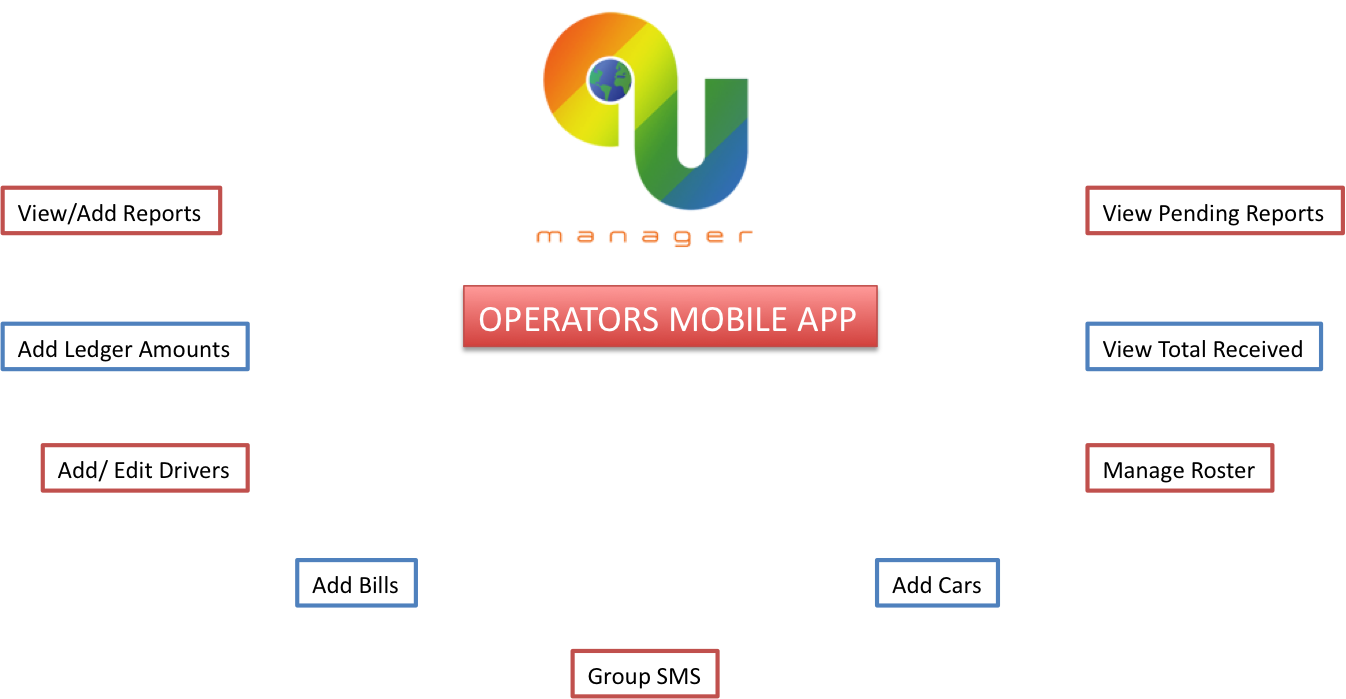
View / Add Reports: Receive, edit, add and complete settlements of the reports in the real time.
View Reports Total: View reports total in one click.
Ledger: Adding the cash amount from the mobile helps to manage cash entries. Every staff has own ledger.
Add / Edit Drivers: Drivers can be added from mobile. You can also edit existing driverś details. Operator can upload license or accreditation copy from mobile. Up to 4 documents can be uploaded. Quick access to driverś information.
Add / Edit Cars: Cars can be added from mobile. You can also edit existing car details.
SMS: Group Messaging system to send messages to all drivers at once or to a specific group, like pending reports.
Bills: Add bills and upload copy of receipt.
Roster: Multiple options are available to manage a roster. Features like view available cars and drivers on the same screen help to cover more shifts. Operators can search the roster by car, by a driver or by available shifts. While changing the shift, you can also send SMS to both drivers to exchange the contact details.
Ledger: Add ledger entries.
Mobile app : Drivers
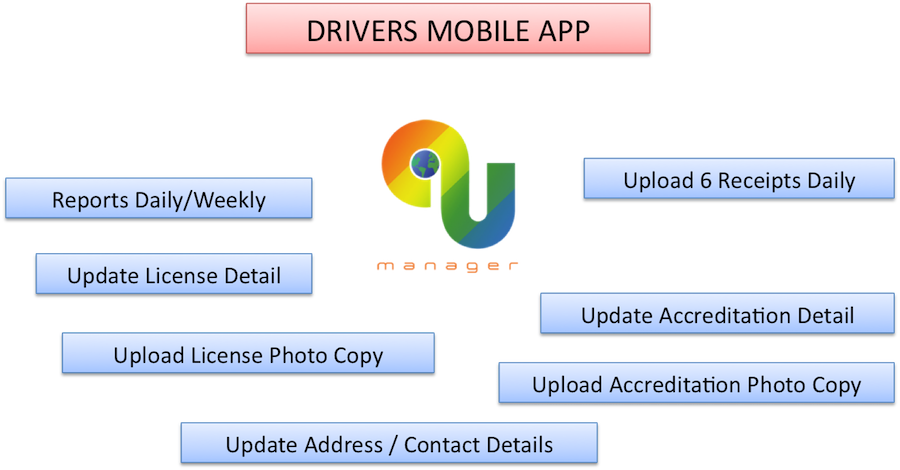
Send Reports: Drivers can send reports online daily or weekly. 6 receipts can be uploaded with each report. Operator can disable this feature any time. Report columns and column names set by operator.
Licence / Accreditation Update: Driver can update license and accreditation details online. Driver can also upload the copy of license/accreditation.
Address Update: Drivers can update the address online and can share with the operator. It will get updated in operator account if operator accepts the changes.
Airport Arrivals: Drivers can check airport arrivals from mobile with one click. All major Australian Airports included in the application.
Data Management
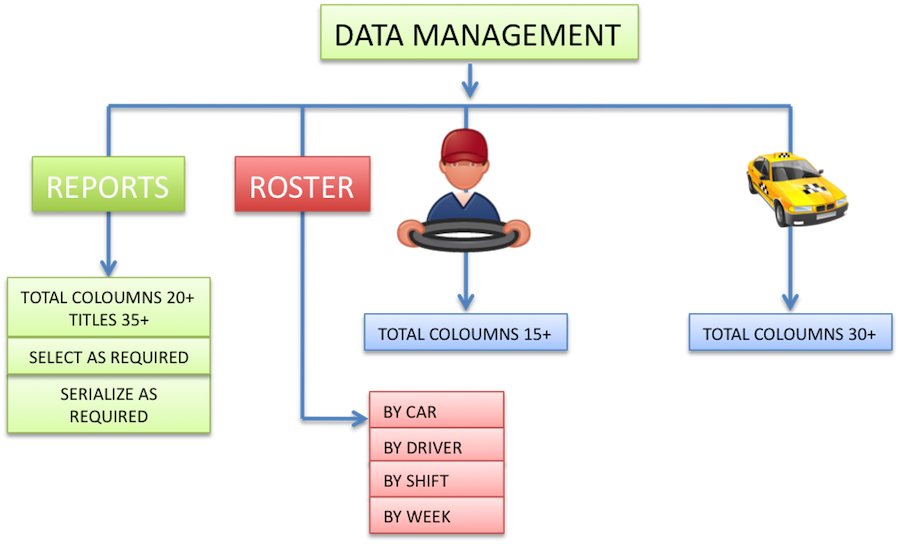
Reports columns: Operator can choose from 20 different reporting columns. There are 40 different names available for these columns. More names can be added to match your requirements. Operator can serialize the columns as required.
Driver's Record: Operator can record up to 20 types of information belongs to a driver. It is also possible to upload and save 4 different documents (licence, accreditation etc).
Car's Record: Operator can record up to 35 types of information that belongs to a car. It also helps you to create an alert list for registration, inspection, service etc.
Data Back-Up: Operator can download their data to their local computer as excel file anytime.
Cost
Fleet Operators: No setup cost, no contract. First bill will be issued at the end of the first month. Operator can quite without any cost/payment. Cost depends upon the size of the fleet. It may vary from $2 to $3 per week per car.
Single Car Operators: It's free for single car operators.
Jobs Data Analysis: This may add extra cost to the bucket.
Drivers: All available features for drivers are free.
FAQ
Q. Can driver change settled report? Ans.: No, a driver can't change or view report once settled.
Q. Is my data secured? Ans.:Your data is always secured. For your peace of mind, you can download data to your local computer any time or you can send the copy of data to your email anytime.
Q. What if I need more columns? Ans.: We add more columns to match your requirement.
Q. What training do I need? Ans.: We will help you to start. Video tutorials are available for each feature. On-call support available during the business hours.